Introduction
AI image generators like Fooocus AI, Stable Diffusion, Midjourney, and DALL·E have made image creation faster, cheaper, and more accessible than ever. With just a text prompt, anyone can generate stunning visuals—no design skills required.
But here’s the problem ?
Most beginners (and even intermediate users) don’t get good results, not because the tool is bad, but because of common mistakes.
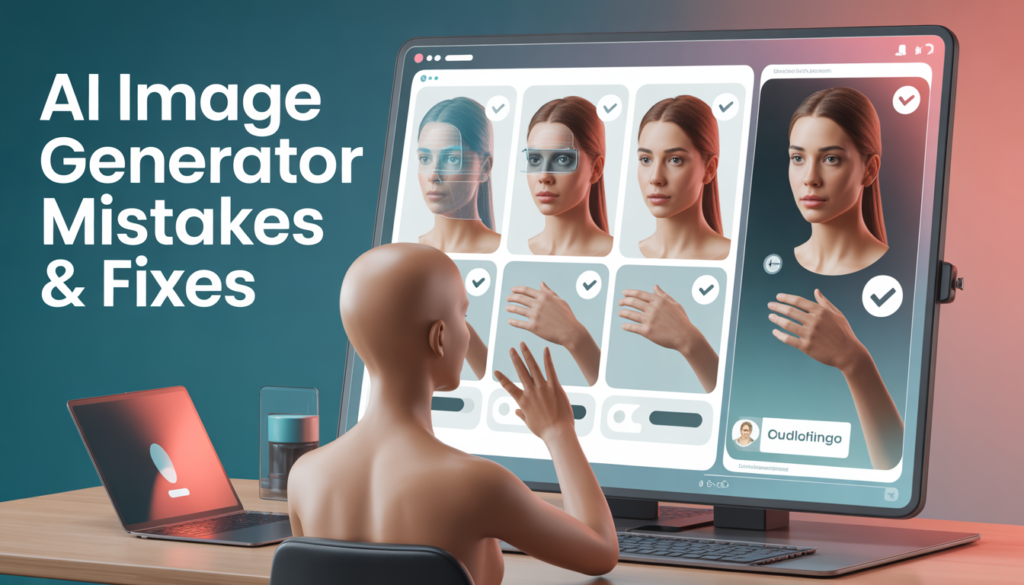
In this article, we’ll break down the most common AI image generator mistakes people make and explain exactly how to fix them, so you can start generating clean, realistic, and professional-quality images.
1. Writing Vague or Weak Prompts
❌ The Mistake
Many users write prompts like:
“A person standing in a city”
This is too generic. AI doesn’t know your style, mood, camera angle, or purpose.
✅ How to Fix It
Be specific and descriptive. Include:
- Subject
- Style
- Mood
- Lighting
- Camera or artistic details
Example (Improved Prompt):
A realistic young man standing in a modern city street, cinematic lighting, shallow depth of field, DSLR photography, ultra high resolution
2. Ignoring Prompt Structure
❌ The Mistake
Dumping random words without structure:
man city realistic cinematic 4k portrait lighting
AI works better with clear context, not keyword spam.
✅ How to Fix It
Use a structured prompt:
- Main subject
- Details & environment
- Style & quality
Example:
A professional portrait of a man wearing a black jacket, standing in an urban city background, cinematic lighting, realistic skin texture, 4k quality
3. Not Using Negative Prompts
❌ The Mistake
Skipping negative prompts results in:
- Deformed hands
- Extra fingers
- Blurry faces
- Messy backgrounds
✅ How to Fix It
Always include a negative prompt.
Example Negative Prompt:
blurry, low quality, distorted face, extra fingers, extra limbs, watermark, text artifacts, bad anatomy
This alone can dramatically improve image quality.
4. Expecting Perfect Results on the First Try
❌ The Mistake
Many users quit after 1–2 generations, thinking:
“This AI tool is bad.”
✅ How to Fix It
AI image generation is an iterative process:
- Adjust wording
- Change style
- Modify lighting
- Reroll seeds
Professional creators often generate 10–30 images before selecting the best one.
5. Overloading the Prompt
❌ The Mistake
Writing extremely long prompts with conflicting styles:
realistic, cartoon, anime, oil painting, watercolor, cyberpunk, fantasy
This confuses the AI.
✅ How to Fix It
Stick to one clear style.
✔ Choose either realistic or illustration
✔ Avoid mixing too many art styles
6. Using the Wrong Image Resolution
❌ The Mistake
Generating very low-resolution images and then complaining about blur.
✅ How to Fix It
- Generate images at higher resolution
- Use upscalers if available
- Maintain correct aspect ratio (16:9 for blogs, 1:1 for social media)
Recommended Sizes:
- Blog feature image: 1200 × 675 px
- Social media: 1024 × 1024 px
7. Ignoring Lighting and Composition
❌ The Mistake
Users focus only on the subject, ignoring lighting.
Result: flat, lifeless images.
✅ How to Fix It
Add lighting and composition keywords:
- soft lighting
- cinematic lighting
- rim light
- natural daylight
- dramatic shadows
Lighting words instantly upgrade realism.
8. Not Matching the Tool to the Task
❌ The Mistake
Using the same AI tool for everything:
- Logos
- Photos
- Art
- Thumbnails
✅ How to Fix It
Different tools shine in different areas:
- Fooocus AI → realistic images
- Midjourney → artistic visuals
- DALL·E → prompt accuracy
- Stable Diffusion → full control
Choose the right tool for the job.
9. Forgetting About Image Consistency
❌ The Mistake
Characters look different in every image—bad for branding.
✅ How to Fix It
- Reuse character descriptions
- Use reference images (if supported)
- Keep prompts consistent
- Use similar seeds or models
This is crucial for:
- Brands
- Storytelling
- Social media pages
10. Ignoring Copyright & Usage Rights
❌ The Mistake
Using AI images commercially without checking rules.
✅ How to Fix It
Always verify:
- Tool’s license
- Commercial usage terms
- Platform policies
For businesses, use tools with commercial-safe output or clear usage rights.
11. Not Learning from Examples
❌ The Mistake
Not studying successful AI images.
✅ How to Fix It
- Analyze high-quality prompts
- Learn prompt patterns
- Save good prompt formulas
- Experiment intentionally
AI image generation improves with practice, not luck.
Pro Prompt Formula (Beginner Friendly)
Use this simple structure ?
Subject + Details + Environment + Lighting + Style + Quality
Example:
A realistic female AI model wearing a modern outfit, standing in a clean studio environment, soft cinematic lighting, professional photography, ultra high resolution
Final Thoughts
Most AI image generator problems are not tool-related — they’re user mistakes.
Once you:
- Write better prompts
- Use negative prompts
- Understand lighting and structure
- Practice consistently
Your AI-generated images will improve fast.
Whether you’re using Fooocus AI, Stable Diffusion, or any other tool, avoiding these common mistakes will help you create professional, realistic, and eye-catching images every time.