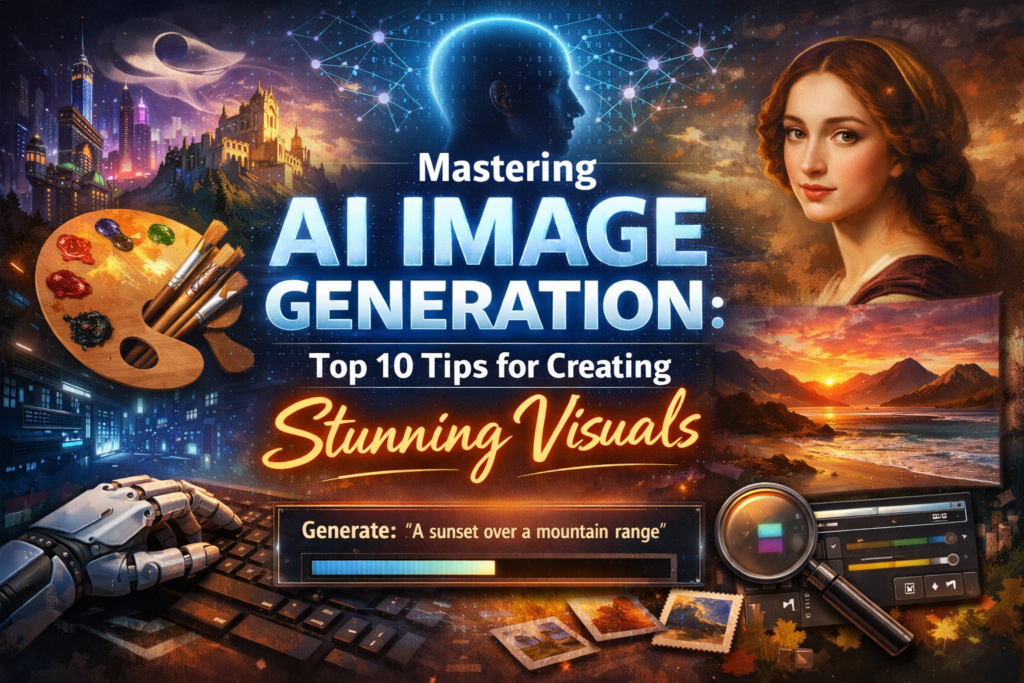
AI image generation is quickly transforming the landscape for artists, designers, and content creators worldwide. From generating artwork with simple text prompts to creating breathtaking visuals, AI tools like Fooocus are revolutionising the way we create and interact with digital art. Whether you’re a professional artist or a beginner exploring the world of AI-driven creativity, this guide will help you master AI image generation with 10 essential tips to create stunning visuals.
In this article, we’ll dive into practical tips and tricks that will help you get the best out of AI-powered image generators. Whether you’re looking to improve the quality of your generated images, optimise your prompts for better results, or create unique and realistic art, you’ll find valuable insights here.
1. Understand How AI Image Generators Work
Before diving into tips for creating better images, it’s essential to understand the basics of how AI image generation works. AI image generators use complex machine learning models like Stable Diffusion or DALL-E to generate images from textual prompts. These models are trained on large datasets, allowing them to predict how to visualise the descriptions they are given.
Understanding how these models interpret your input can help you craft better prompts and achieve more accurate results. For example, if you want to generate an image of a “sunset over a mountain range”, knowing how the model interprets elements like “sunset” and “mountain range” will help you refine your input for more realistic results.
2. Craft Clear and Detailed Prompts
One of the most important factors in generating stunning visuals is the quality of the prompt you provide to the AI. The clearer and more detailed your prompt, the better the AI can understand your vision and create an image that matches your expectations. Here are some tips for writing clear prompts:
- Be Specific: Instead of just saying “a dog”, try specifying “a fluffy golden retriever sitting in a park with a bright blue sky”. The more details you provide, the better the AI can capture the essence of what you’re imagining.
- Use Descriptive Language: Words like “vibrant”, “realistic”, or “dramatic lighting” can guide the AI to generate an image that better matches the style or mood you want.
- Incorporate Art Styles or Mediums: If you want your image to look like a painting or a sketch, be sure to mention it. For example, you could say, “A futuristic cityscape in the style of cyberpunk concept art” to get a specific aesthetic.
3. Experiment with Variations of Your Prompts
AI image generators often give slightly different results based on small changes in your prompts. So, if you’re not happy with the first output, don’t hesitate to experiment with variations of the same prompt. Try rewording sentences or adding more descriptive terms to see how the results change.
For example:
- First prompt: “A serene beach at sunset”
- Second prompt: “A peaceful beach with soft waves and a bright orange sunset sky”
This slight variation can help you get a more refined image, as the AI might interpret different terms and details in unique ways.
4. Use Image Enhancers and Post-Processing Tools
AI-generated images often need some level of enhancement or fine-tuning to make them look polished. Tools like Fooocus offer post-processing features that allow you to improve the quality of your AI-generated images. Here are some techniques to enhance your images:
- Upscaling: If the image resolution is low, use an upscaling tool to increase the size without losing quality. This is particularly useful for creating high-resolution prints of AI-generated artwork.
- Colour Adjustments: Adjusting the saturation, brightness, or contrast of your image can help make it pop and give it the desired look.
- Sharpening and Clarity: Use sharpening tools to bring out the details in your image, especially if it’s a highly detailed scene.
- Inpainting: If there’s a specific area in your image that needs improvement, you can use inpainting tools to selectively enhance or modify parts of the image.
5. Leverage Different Art Styles and Mediums
AI image generators allow you to experiment with various art styles and mediums. By incorporating different artistic techniques, you can create unique and visually appealing results. Here are some popular styles you can explore:
- Photorealistic: For ultra-realistic images that mimic photography.
- Impressionism: Create dreamy and abstract visuals with soft brush strokes and vibrant colours.
- Cubism: Generate geometric, abstract interpretations of real-world scenes.
- Futuristic: Create visuals that look like they belong in a sci-fi movie or video game.
To specify an art style, simply mention it in your prompt. For instance, you could design a futuristic city skyline in the Blade Runner style, or create a portrait of a woman in the 16th-century Renaissance art style.
6. Use References for Inspiration
If you’re looking to generate a specific image or need inspiration, you can use reference images. Some AI tools allow you to upload images that guide the AI in generating new artwork. For instance, you could upload a photo of a mountain landscape to help the AI understand its colour palette, composition, and lighting.
- Upload Your Reference: If you have a reference image or an image that reflects your idea, upload it as a guide.
- Incorporate Keywords from References: Even if the tool doesn’t allow you to upload a reference, you can still describe the reference image in detail to guide the AI.
Using references not only helps the AI understand the scene you want to create but also ensures that the final result is closer to your vision.
7. Explore Different Themes and Genres
AI image generators are perfect for experimenting with different genres of art. Whether you’re into fantasy, sci-fi, surrealism, or nature scenes, AI can help bring your ideas to life. By mixing genres or exploring niche themes, you can create unique pieces that stand out.
For instance:
- Surrealism: Generate dreamlike landscapes where reality bends and twists in unexpected ways.
- Fantasy Art: Create scenes with mythical creatures, magical settings, and epic landscapes.
- Cyberpunk: Bring futuristic cityscapes and neon lights to life in a high-tech, dystopian world.
By exploring different themes, you’ll learn how the AI reacts to various concepts, which will help you generate even more impressive art.
8. Incorporate Lighting and Shadows
Lighting is one of the most crucial aspects of creating a realistic and stunning image. AI image generators like Fooocus can be guided to produce images with specific lighting conditions, such as “golden hour lighting”, “neon glow”, or “moonlit shadows”.
Here are a few tips to get the lighting right:
- Specify the Time of Day: Indicate whether the scene should take place during the day, at sunset, or at night.
- Use Light and Shadow for Drama: If you want a dramatic effect, try mentioning lighting conditions like “backlighting” or “silhouette.”.
The more you guide the AI with specific lighting details, the better your final image will turn out.
9. Experiment with Composition
The composition of an image determines how elements are arranged within the frame. AI image generators often give you the freedom to experiment with different compositions and perspectives. Here are some composition tips you can try:
- Rule of Thirds: Place key elements of your scene along the lines or intersections of a grid divided into thirds. This often results in a balanced and visually appealing image.
- Symmetry: If you’re looking for a perfectly balanced scene, ask the AI to generate an image with symmetry, such as a precisely mirrored landscape or architecture.
- Perspective and Depth: To create a sense of depth, experiment with foreground, midground, and background elements in your prompts.
The right composition can take your AI-generated images from good to great!
10. Refine and Iterate
AI image generation involves a process of experimentation and learning. Don’t be afraid to refine your prompts, tweak your settings, and iterate until you achieve the desired result. By continuously experimenting with different inputs and post-processing techniques, you can learn more about how the AI works and how to create the best images.
Remember, the key to mastering AI-generated art is persistence and creativity. The more you experiment and refine, the better your skills will become.
Conclusion
AI image generation is an exciting and rapidly growing field that offers endless possibilities for creativity. By following these 10 tips, you can enhance your experience and produce stunning visuals that reflect your unique vision. Whether you’re an artist, designer, or content creator, AI tools like Fooocus can help bring your ideas to life and take your artwork to new heights.
As with any new technology, the key to success is experimentation and learning. Don’t be afraid to try new things, tweak your prompts, and refine your images to create truly breathtaking digital art. Happy creating!